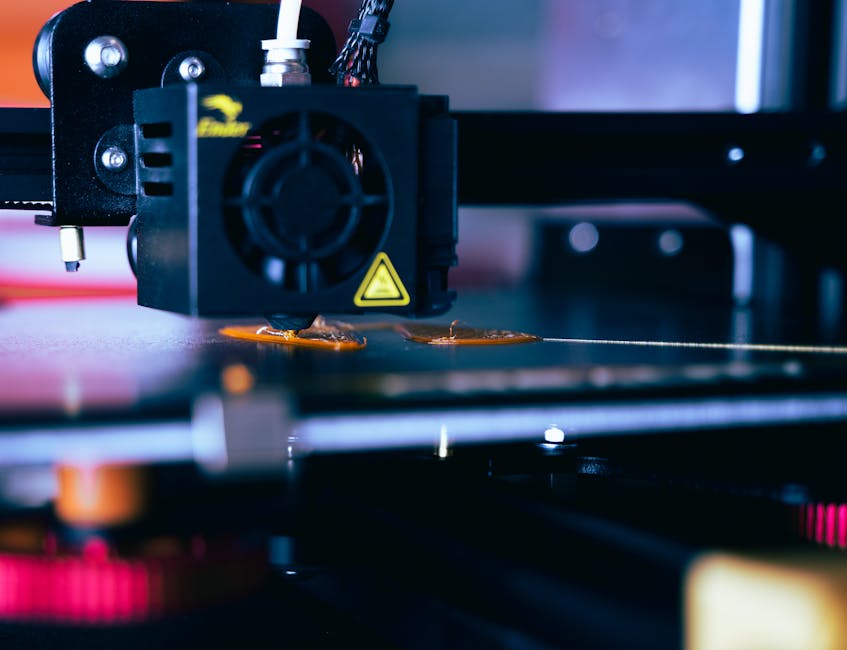
Low-friction bearings in plastic aren’t mainly about “strong” material—they’re about reducing friction at the surface and preventing wear over time. If you want smooth motion from 3D printed parts, PTFE-style materials and acetal-like plastics usually outperform standard printing plastics.
This guide ranks the best filament types for bearings and low-friction moving parts, then walks you through practical clearances, lubrication habits, and post-processing steps that make the difference between a gritty prototype and a smooth-running assembly.
Why moving parts feel “sticky” in 3D prints

That’s why the best results usually come from treating bearings as a system: material choice + fit + finish + lubrication.
Best filaments for bearings and low-friction motion
-
PTFE composite (PTFE-filled) filaments
- Best for: very low friction on sliding bushings and thin wear surfaces.
- What to expect: excellent “glide” when surfaces are clean and properly finished.
- Trade-offs: can be softer/less dimensionally stable than tougher engineering plastics, and prints may be trickier depending on the blend.
-
POM-style (acetal) filaments
- Best for: a balanced choice for bearings, rollers, and linkages where you want low friction plus good dimensional stability.
- What to expect: strong wear resistance and stable running once you dial in fit.
- Trade-offs: not every printer handles it equally well—cooling, warping control, and bed adhesion matter.
-
PEEK (eSUN ePEEK 0.25kg 1.75mm Natural)
- Best for: higher-performance bearings that must resist heat and wear while staying rigid under load.
- What to expect: very good wear behavior and stiffness, which helps maintain clearance.
- Trade-offs: can be harder to print and often benefits from careful temperature control and surface finishing.
-
Nylon (PA) and nylon composites (OVERTRUE Nylon 1kg 1.75mm Gray)
- Best for: tough, impact-resistant moving parts where you can support with lubrication and surface finishing.
- What to expect: nylon can run smoothly in friction-matched designs, especially when dry and lubricated.
- Trade-offs: nylon is hygroscopic (it absorbs moisture), which can change friction and feel over time; it also may creep more than POM/PEEK under sustained load.
-
TPU and other elastomers
- Best for: damped motion, flexible couplers, and parts that must tolerate misalignment.
- What to expect: grip and compliance can reduce chatter, but it usually won’t beat dedicated bearing materials for true low friction.
- Trade-offs: softness increases contact area and can increase drag under load.
If you’re aiming for “bearing-like” smoothness with minimal experimentation, PTFE composites and POM-style materials are the fastest path. If you need stiffness and higher operating temperature margins, PEEK is often the smarter long-term choice.
Design clearances and fit for printed shafts
Even the perfect filament can feel rough if the bearing surface is too tight or too loose. The biggest win is to design a clearance that accounts for printed roughness and then tune it with test pieces.
Start with these rules of thumb, then verify with a short test run (a minute or two at your intended direction and speed).
- Give sliding parts a clearance that can “swallow” surface texture (printed parts are rarely mirror-smooth as-printed).
- Tune fit for your motion type: rotating bearings usually need slightly tighter clearance than sliders, but both require more than you’d use with metal-on-metal.
- Account for lubrication thickness: a thin film may add less drag than you expect, but it can also increase “hydrodynamic” smoothness—sometimes you can afford slightly tighter fits.
- Avoid point loads on thin walls: under load, plastics deform and reduce clearance.
- Add surface area where possible: thicker bearing surfaces and longer contact length usually reduce edge wear.
- Plan for rework: design parts so you can lightly sand, lap, or ream the contact surface after printing.
Practical clearance targets vary widely, but a good starting point is to expect you’ll need more clearance than for machined plastic or metal parts. For small shafts and bushings, many people end up testing within the ballpark of tenths of a millimeter, then adjusting based on how your printer’s tolerances and your finish work.
Also remember: printed shrink and layer direction matter. If the bearing runs in a direction where layers stack against the motion, friction and wear can be worse than when motion aligns differently.
Lubrication that actually reduces wear
Lubrication isn’t just for high-load bearings. It’s often the difference between a smooth prototype and something that stays smooth after a few runs.
What works best depends on filament type:
- PTFE composites: they often perform well with dry PTFE-style sprays or light dry lubricants. A thin film helps reduce initial roughness while the contact surfaces bed in.
- POM-style plastics: typically like light oils or specialized synthetic lubricants. Too-thick grease can attract dust and increase drag.
- PEEK: usually benefits from stable, non-gummy lubricants. Keep the film light so it doesn’t create a sticky boundary layer.
- Nylon: runs better when kept reasonably dry at print time, then lubricated for the job. Nylon can change behavior with moisture—so if your parts see humidity, you’ll likely need a consistent lubrication routine.
A few lubrication habits that consistently improve results:
- Apply sparingly. Start thin; you can always reapply. Excess lube can increase drag and collect debris.
- Wipe away the first over-application after spinning or cycling the part. This helps you keep a stable boundary film.
- Match lube to environment. If dust is present, dry PTFE-style lubes often stay cleaner than heavy greases.
- Be careful with solvents. Some lubricants or cleaners can soften certain plastics—test on a scrap first.
Post-processing for smoother rotation and longer life
As-printed surfaces are almost always the limiting factor. Post-processing is where the “bearing magic” happens.
For low-friction moving parts, prioritize contact-surface finishing:
- Dry sanding and polishing: Use fine sandpaper progression and finish with very smooth grit. Keep edges clean—raised ridges cause the most drag and wear.
- Reaming and burnishing: If your design allows it, ream rotating bores slightly and burnish sliding surfaces. Even a small improvement in concentricity and smoothness can dramatically reduce binding.
- Deburr and remove sharp seams: Layer start/stop seams and stringy artifacts often create high spots. Removing those before assembly prevents rapid wear.
- Bed-in with lubrication: After finishing, run the mechanism under light load with lubrication to let micro-high spots wear in.
Material-specific notes help:
- Nylon: surface finishing helps a lot, but also keep the part dry if friction stability matters.
- PEEK: careful finishing is important because PEEK is tough and can stay rough if you only do quick sanding.
- PTFE composites: the blend may print with a surface that benefits from gentle sanding and thorough cleaning before lubrication.
One more practical trick: finish the surface you can control most reliably. If you can only post-process one part in the pair (shaft vs bushing), finish the bushing or bearing surface first—it’s easier and you can tune fit by removing material.
Which filament should you pick for your moving parts?
If your priority is the smoothest sliding feel, PTFE composite filaments are the common starting point. If you want a strong all-around choice that behaves well under load with less tuning, POM-style filaments are hard to beat. For high-rigidity, heat-tolerant bearing designs, PEEK (including eSUN ePEEK 0.25kg 1.75mm Natural) is a top-tier option once you’re set up for its printing and finishing needs.
OVERTRUE Nylon 1kg 1.75mm Gray is a great practical option for toughness and impact resistance—but plan on controlling moisture and relying on lubrication and finishing to keep motion smooth.
The next step that saves the most time: print a small test bushing/shaft pair with your intended clearance, try your lubrication method, then sand/polish just one contact surface and rerun the test. That’s how you turn “low friction on paper” into consistent motion in real hardware.
PriceIt3D may earn a commission when you buy through links on this page, at no extra cost to you. Affiliate notice.