3D printing speed is exciting, but it only matters if the printer stays consistent while you learn. For a first-time buyer, the real question is whether the machine is easy to keep calibrated, how often you’ll troubleshoot, and whether your print quality stays predictable over weeks—not just on day one.
This guide compares an Ender 3-style setup (we’ll reference Creality Ender 3 V2 since it’s the common beginner pick) versus the Creality K1 approach, with a specific focus on usability, maintenance frequency, quality consistency, and the total cost of ownership.
Ender 3 for beginners: setup, quality, and ongoing care
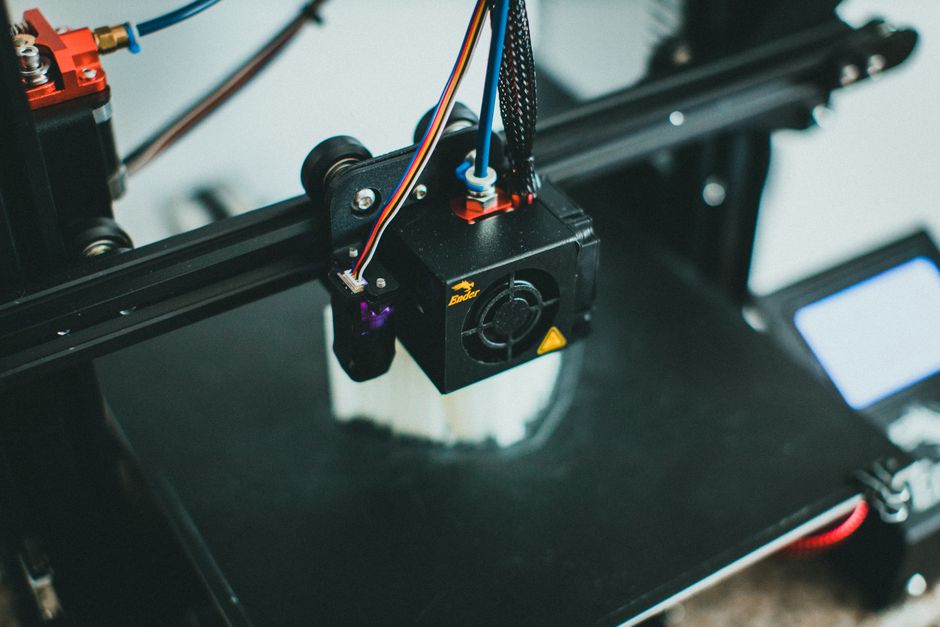
An Ender 3 is fundamentally a “learn-the-machine” printer. You can absolutely get sharp, reliable prints from it, but quality depends more on your setup and routine checks. If you enjoy tinkering (or want to build that skill gradually), it’s a great path.
Strengths
- Proven beginner ecosystem: common parts, lots of community knowledge, and an easy-to-understand mechanical layout.
- Good print quality when tuned: with correct leveling, sane extrusion settings, and stable temperatures, you can get strong layer adhesion and clean surfaces.
- Lower complexity in the workflow: you usually focus on bed leveling and slicer basics rather than advanced system features.
Weaknesses
- More calibration effort: bed leveling and first-layer setup are recurring tasks. Small changes in the bed, springs, or mounting can lead to inconsistent first layers over time.
- More frequent “maintenance-like” attention: cleaning, checking fasteners, and keeping the motion system smooth are part of ownership. That doesn’t mean constant repairs—just more hands-on time.
- Quality consistency can vary more: two prints from the same file can still differ if the bed condition or tuning drifts.
For speed and quality, the key idea is that an Ender 3 doesn’t simply “print fast by default.” Faster motion can stress rigidity, cooling balance, and extrusion stability. Beginners often see better results by mastering baseline settings first—layer height, line width, cooling, and travel speeds—then gradually increasing speed when prints remain stable.
Total cost implications (without focusing on purchase price)
With an Ender 3, ongoing costs usually show up as time and consumables:
- Bed adhesion surfaces and periodic wear (especially if you switch materials often).
- Wear parts in the hotend path (nozzles, possibly fans, and typical maintenance items depending on filament and settings).
- Optional “keeping it stable” upgrades (not mandatory, but many first-timers end up adding things to reduce tuning frequency).
None of these are disasters, but they explain why the “total beginner cost” is often a mix of materials, replacement parts, and the value of your time.
Creality K1 for beginners: setup, quality, and ongoing care

The Creality K1 is aimed at lowering the amount of day-to-day tuning so you spend more time printing and less time re-calibrating. That often means fewer “why did the first layer fail today?” moments for beginners.
Strengths
- More automation for repeatability: modern features (like assisted leveling and guided workflows) tend to improve first-layer consistency, which directly affects overall print quality.
- Designed for higher-speed motion: the overall mechanical and control approach is meant to maintain stability when moving faster.
- Enclosed/controlled printing environment (typical for this class): better resistance to drafts and temperature swings can improve reliability, especially with materials that are more sensitive to warping.
Weaknesses
- More reliance on the ecosystem: if something goes wrong, diagnosis can be less straightforward than with a simpler open-frame design.
- Firmware/slicer profile sensitivity: K1-class printers still need correct slicer settings, especially for temperature, cooling, retraction, and flow. When profiles are wrong, the speed advantages won’t help.
- Repair and troubleshooting can be more specialized: keeping the printer running may still require careful part selection and correct setup procedures.
For print quality, the big beginner win with the K1 approach is repeatability. When the machine consistently establishes the first layer and maintains extrusion stability, layer-to-layer detail tends to look more uniform from print to print. That’s what most new owners mean by “quality consistency.”
Speed is also where the K1 usually feels better—assuming you use appropriate profiles. Printing faster isn’t only about the motion system; it depends on consistent extrusion and cooling. When those are aligned, you get speed without sacrificing too much surface quality.
Total cost implications (without focusing on purchase price)
With a K1, the “cost of ownership” usually shifts away from frequent manual adjustment and toward:
- Depending on design and materials, potential enclosure-related consumables/maintenance (filters/cleaning routines if applicable).
- Hotend wear still happens: nozzles and thermal components wear with use, regardless of printer brand.
- Replacement parts may be less universal than on older open-frame systems.
In many beginner situations, that trade is worth it: less troubleshooting time can outweigh small differences in consumable costs.
Which printer fits a first-time buyer
For beginners, the best choice is usually determined by what you want to spend your effort on: learning the machine deeply (Ender 3 style) or minimizing tuning so printing becomes the default (K1 style).
Use this quick decision checklist:
- If you want the most hands-on learning (and you don’t mind leveling and occasional mechanical checks), choose an Ender 3-style printer like Creality Ender 3 V2.
- If you want higher-speed printing with fewer “setup surprises,” choose the Creality K1.
- If your goal is consistent results for functional prints (brackets, enclosures, prototypes) with minimal babysitting, the K1 tends to be the easier path.
- If your budget and willingness to tinker are both moderate, and you’re comfortable iterating slicer settings to dial in quality, the Ender 3 approach is still a strong starter route.
- If you often print materials that are sensitive to warping or room conditions, an enclosed workflow like the K1’s can reduce failures and reprints.
Practical verdict: pick the Ender 3 when you want to learn by doing and you’re okay spending extra minutes maintaining first-layer reliability. Pick the Creality K1 when you want speed and repeatability to be the default behavior.
The one thing that matters most next isn’t which printer you buy—it’s how you treat the first layer. Nail that consistently, and both machines can deliver satisfying print quality. If you want the path of least resistance while you’re still learning, the K1-style setup usually gets you there faster.
PriceIt3D may earn a commission when you buy through links on this page, at no extra cost to you. Affiliate notice.