
A first-layer failure on an Ender 3 Pro is almost never “mystery bad luck.” It’s usually one calibration link that’s off—Z offset, mechanical leveling, or probe/mesh handling. This guide walks you through a step-by-step diagnosis flow so you can tell a warped bed from an offset problem (and verify probe setup if you’re using one).
You’ll also get a practical way to run controlled tests, so the fixes you try actually explain what you’re seeing on the print.
1) Start With a Controlled First-Layer Test
Do a test print that makes differences obvious:
- Use a simple single-layer or first-layer-heavy test (square/rectangular pattern) rather than a detailed model.
- Keep the slicer settings identical between tests (same layer height, same line width, same first-layer speed).
- Watch where adhesion fails: corners, edges, center, or one side.
Write down what you see. If the build plate is too high, lines won’t stick and will look lightly “glossy” or separated. If it’s too low, the nozzle may drag or squish plastic so lines become overly flattened and sometimes form blobs.
2) Run the Diagnosis Flow to Separate the Causes
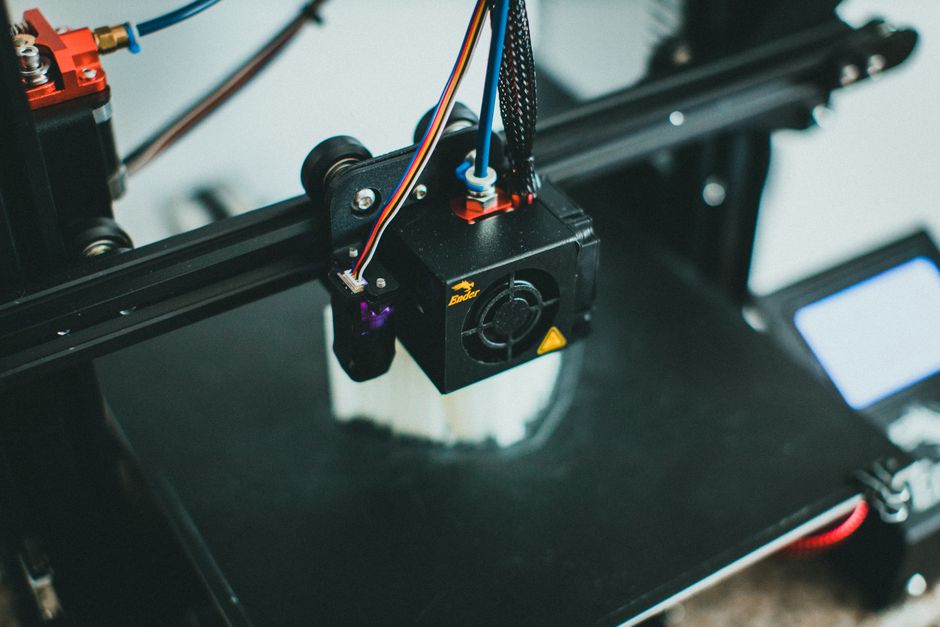
- Confirm the mechanical baseline: check the bed is firmly mounted, springs are seated, and the bed doesn’t rock when you gently press it.
- Clean and inspect contact points: wipe the build plate with an appropriate cleaner (soap/water or IPA for suitable surfaces), then re-check the nozzle for clogs. A partly clogged nozzle can mimic Z or leveling issues.
- Stabilize temperatures and airflow: run the print with your normal first-layer temperatures and fan behavior. Temperature swings can change how well layers fuse and how “grippy” the first layer is.
- Set a reasonable first-layer target in your slicer: keep first-layer height and first-layer speed in a typical range for your material. Extreme values can make the test harder to interpret (for example, a too-fast first layer can look like poor leveling).
- Pre-level manually to a consistent baseline: do a careful manual leveling (paper or feeler gauge method) across the bed. Stop when all points have the same “drag” feeling, not when one point looks perfect.
- Test Z offset without changing leveling: adjust Z offset (or the live Z setting) in small increments and print the same first-layer test. If improving Z offset fixes the whole bed uniformly, your main issue is likely Z offset rather than warping.
- Look for a repeating spatial pattern: if only certain zones (for example, far corners or one diagonal) are consistently wrong even after Z offset tweaks, that strongly points to bed flatness problems or incorrect compensation.
- If you use a probe/mesh, isolate it: run one test with the probing/mesh correction enabled and one with it disabled (or with the mesh not applied, depending on your firmware/setup). If the error pattern “moves” or changes dramatically, the probe/mesh handling is involved.
- Confirm probe Z calibration (and probe mounting): if your printer uses an inductive/proximity probe or similar sensor, verify the probe is mounted rigidly, the wiring is stable, and the Z-probe offset is set correctly. A small offset error can cause a bed that seems “warped” when the mesh is simply correcting to the wrong reference.
After step 9, you should be able to classify the issue into one of three buckets: mostly Z offset, mostly warped/mechanical flatness, or mostly probe/mesh setup.
3) Warped Bed vs Z Offset: How to Tell Quickly
The fastest way to separate these is to interpret how the error behaves when you change Z offset.
If it’s primarily Z offset (or live Z), changing Z affects adhesion across the whole bed in a consistent way. For example, raising Z slightly might improve adhesion everywhere (even if some areas still aren’t perfect). When Z offset is the main problem, you usually don’t see a sharp “only the corners fail” pattern that stays locked in place.
If it’s primarily a warped bed, changing Z offset tends to correct some regions while making others worse. The print pattern often stays spatially consistent: one side always squishes too much, another side always won’t grab.
A practical tell: run two short first-layer tests at two different Z offsets (small changes). If the failure zone stays in the same corner/edge area, you’re looking at flatness/warping (or an unaccounted mechanical tilt). If the whole bed improves together, Z offset is the likely culprit.
Also remember that warped issues don’t always require dramatic bends. Even slight unevenness can show up as “one side won’t stick” when your first layer is on the edge of correct squish.
4) When You Have a Probe, Treat It Like a Calibration Chain
A probe can make leveling more repeatable, but it adds a chain of dependencies. If any link is wrong, the mesh will confidently “correct” in the wrong direction.
Start by verifying the probe hardware and placement:
- The probe must be mounted rigidly so it doesn’t flex when the printer moves.
- The probe tip/sensor position relative to the nozzle must be correct, so the printer maps the surface at the same spot it extrudes onto.
Next, verify Z-probe offset and the reference it uses. Many probe setups effectively say: “When the probe triggers, the nozzle is at X height.” If that X is off, the mesh will force the nozzle too high or too low across the whole bed—even though your manual leveling “looks fine.”
Finally, treat the mesh itself as a tuning parameter:
- If your mesh is generated at a temperature that doesn’t match your printing temperature, thermal changes can create a flatness mismatch. Warped beds often change shape with heat.
- If your mesh covers only a limited area, the edges may still be wrong even though the center looks great.
Key troubleshooting idea: the probe’s effect on your error pattern is diagnostic. If disabling mesh makes the problem completely different (or makes it more “uniform”), the probe/mesh is in the loop. If disabling mesh changes nothing, focus on mechanical leveling, Z offset, and bed surface condition.
5) Lock In Reliable First Layers With a Repeatable Workflow
Once you know which category you’re in, you want a workflow that keeps it stable.
If it’s mainly Z offset: after you dial it in using your first-layer test, don’t chase it every print. Instead, keep slicer temperatures, first-layer speed, and bed temperature consistent. If you switch materials or print very different bed temperatures, expect Z behavior to shift and re-check with a short first-layer test.
If it’s mainly warped/mechanical flatness: manual pre-leveling still matters, but you’ll get the best results when you level to a consistent baseline and then use any compensation features appropriately. In practice, that means re-running leveling when you change build plates or after any mechanical disturbance. If the warp is repeatable, you can often achieve good adhesion even if the bed isn’t perfectly flat—what matters is consistency.
If it’s mainly probe/mesh setup: prioritize probe mounting rigidity, correct probe offset, and a mesh generated under conditions close to your real printing conditions. Avoid “fixing” mesh problems by repeatedly changing manual leveling in large swings; that hides the real calibration issue and can make results unpredictable.
A practical verdict: if your adhesion issues stay locked to the same corners/edges after Z offset changes, focus on warping/mechanical leveling. If everything improves together when Z offset changes, focus on Z offset. If enabling/disabling probing dramatically changes the pattern, focus on probe calibration and mesh settings.
For the next step, print the same small first-layer test twice: once with your probe/mesh behavior the same as usual, and once after you intentionally switch it off (if your setup allows). That single A/B test usually tells you which part of the chain is really responsible.
PriceIt3D may earn a commission when you buy through links on this page, at no extra cost to you. Affiliate notice.