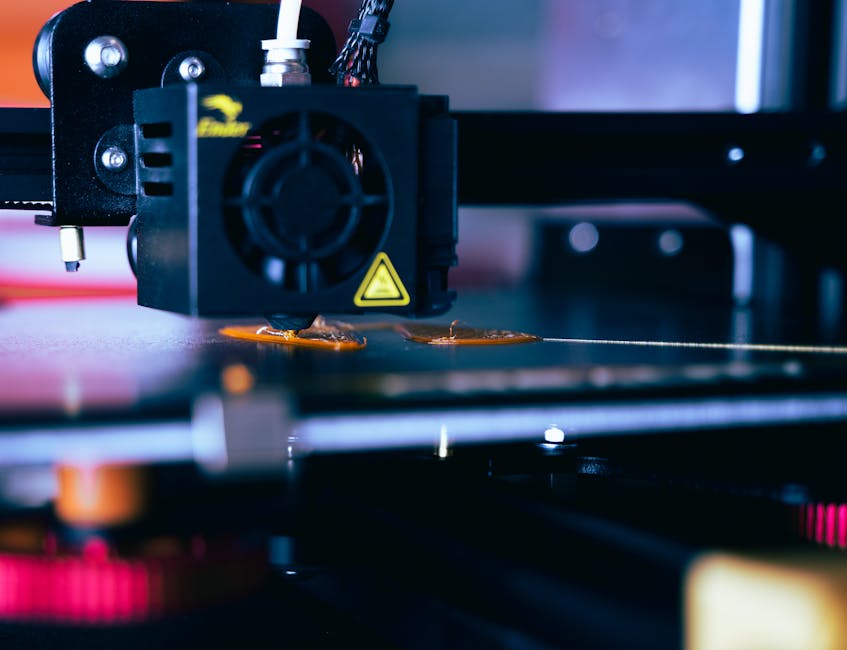
Resin print quality lives or dies on the first layer. If bottom exposure is too high (or if lift/settle motion keeps the cured layer stuck to the film), you get overcure, dimples, suction scars, and the classic “elephant foot.”
This guide walks you through a repeatable calibration workflow that targets two things: the correct amount of “squish” (contact and bonding) and the minimum bottom exposure that avoids overexposure while still sticking reliably.
Confirm your leveling and vat basics
- Re-check the build plate level while the vat is in place and the resin is mixed (stratified resin can change how films cure).
- Verify the screen is clean, especially around the pixels where your first layer lands. Dust or cured flecks can cause localized overexposure-looking artifacts.
- Use consistent resin temperature. Resin that’s colder than usual can behave more like it’s “under-curing,” which tempts you to compensate with more exposure.
Why this matters: if the plate is even slightly off, you’ll end up chasing corrections with exposure when the real problem is geometry. That usually leads straight to elephant-foot and warped bottom surfaces.
Set a conservative bottom exposure baseline

- Use your slicer’s bottom layer settings as the starting point, but reduce bottom exposure compared to what you currently run.
- Keep bottom layer count conservative while testing. Too many bottom layers can broaden the overcured zone even if a single layer is close.
Why this matters: overexposure on resin printers often shows up as extra thickness at the base, softened edges, and a thicker-than-designed silhouette. Lowering bottom exposure is the fastest route to stopping that.
Calibrate lift and settle so the cured layer releases cleanly
First-layer “squish” isn’t just about how long the screen exposes. It’s also about how the printer separates the build plate from the film.
If the printer lifts too little or settles too long/too aggressively, the cured resin can cling and stretch on release. That can look like:
- suction marks or streaks near the base
- small ripples or dents on the first layer
- distorted “squish” where corners spread farther than they should
Adjust lift and settle in the direction that encourages release without breaking adhesion:
- Increase lift height if you see suction artifacts or the first layer tearing on release.
- Shorten settle time if the plate “waits” too long while resin is still being pulled by suction forces.
Why this matters: you want just enough squish for bonding, then a clean break so the geometry doesn’t get dragged.
Use a repeatable calibration workflow
The most reliable approach is to test with small changes and a clear pass/fail rule. Here’s a workflow that converges quickly.
- Level and clean once, then don’t touch it. Re-check leveling and clean the screen and vat before you start the series of test prints.
- Pick a single change to test first: bottom exposure. Keep lift height and settle consistent across exposure tests.
- Print an exposure step test. Create a series that varies only bottom exposure in small increments while keeping all other bottom-layer settings fixed.
- Inspect the bottom surface and edges under good light. Look for loss of sharpness, extra thickness, rounding, and any “bloom” spreading past the intended footprint.
- Choose the minimum exposure that fully bonds. Your winner is the lowest exposure where the part releases cleanly and the first layer doesn’t peel, separate, or leave gaps.
- If you see suction artifacts, pause and test lift/settle next. Return bottom exposure to the “winner” value, then adjust motion.
- Run a motion step test. Vary lift height and/or settle time one at a time (or in tightly grouped pairs) to reduce stretching, streaks, or tearing on the first layer.
- Confirm squish is uniform across the build plate. If the center looks right but corners don’t, the issue is usually leveling or screen uniformity—not just exposure.
Why this matters: resin calibration gets slow when you change everything at once. Testing exposure and motion separately prevents you from “compensating” for the wrong cause, which is how zero-overexposure targets get missed.
Verify with a real part geometry check
A benchy-like model can be misleading because later layers don’t experience the same forces or cure behavior as the first layer. Instead, validate with geometry that makes base accuracy obvious.
Look for:
- crisp base edges (no rounding or flare)
- correct bottom thickness (no systematic “elephant-foot” thickening)
- consistent adhesion across the build plate
If you’re using supports: keep supports conservative for the calibration run so they don’t introduce extra variables at the base.
Why this matters: you’re not just proving the part sticks—you’re verifying the base is dimensionally faithful.
Lock in settings to prevent elephant-foot and overcure
Once you have a minimum-bond exposure and clean release motion, the goal is to stop drift as you print different resins and sessions.
- Record the exact working settings. Note bottom exposure, bottom layer count, lift height, and settle time. Small “remembered” values are where overexposure creeps back in.
- Don’t increase exposure as a default fix. If parts fail, check resin mixing, temperature, screen cleanliness, and leveling first. Most “mysterious” first-layer failures aren’t solved by just raising exposure.
- Watch for resin changes. New resin batches or different pigment levels can shift cure behavior. Re-run a quick mini-test when you change resin.
- Keep your calibration prints small and frequent. Faster feedback beats large prints that hide which parameter caused the issue.
Why this matters: elephant-foot is rarely one setting. It’s usually the combination of “more cure time than needed” and “motion that keeps the first layer under suction.” Stabilizing both is what makes first-layer squish accurate again and again.
Choose your final settings based on results
When your calibration is dialed in, the first layer should:
- bond securely without needing high exposure
- release cleanly without suction scars or stretching
- keep the base shape crisp, with no noticeable flare or thickened edges
If your parts don’t stick, your baseline exposure is too low—raise bottom exposure slightly until bonding is reliable, then stop. If your parts stick but show suction marks or dragged geometry, keep exposure at the bonding minimum and adjust lift/settle to improve separation.
The one next step that prevents wasted time: run the smallest test that isolates one parameter at a time—exposure first, motion second—then keep those “winner” values as your stable baseline for zero-overexposure-style accuracy.
PriceIt3D may earn a commission when you buy through links on this page, at no extra cost to you. Affiliate notice.