Everyday printing isn’t about chasing the highest “spec” number—it’s about getting dependable parts with minimal babysitting. That usually comes down to how well a printer stays calibrated, how repeatable prints are between jobs, and how much time you’ll spend fixing things when schedules matter.
This guide compares the Bambu Lab A1 and the Ender 3 V3 SE specifically for typical hobby and small-business use: quick day-to-day start, predictable quality, a sensible speed/quality trade-off, and the maintenance effort that fits real life.
What “everyday prints” really demand

-
You want reliable first layers without a ritual. A lot of print failure starts before the model even moves—uneven adhesion, inconsistent Z height, or a bed that needs re-tramming.
-
You want results that don’t drift between prints. Even when a printer “can print,” small changes in calibration can affect dimensional accuracy, surface finish, and whether supports rip off cleanly.
-
You want a speed/quality balance you can keep using. Many printers will hit high speeds in perfect conditions, but everyday success is about what happens across different filament spools, ambient temperatures, and print types.
-
You want maintenance that’s predictable, not constant. In a busy week, you should be cleaning, replacing consumables, and updating firmware—not diagnosing recurring problems.
With that in mind, here’s how each printer tends to feel in day-to-day use.
Bambu Lab A1: strengths for low-friction everyday printing
Usability and print workflow
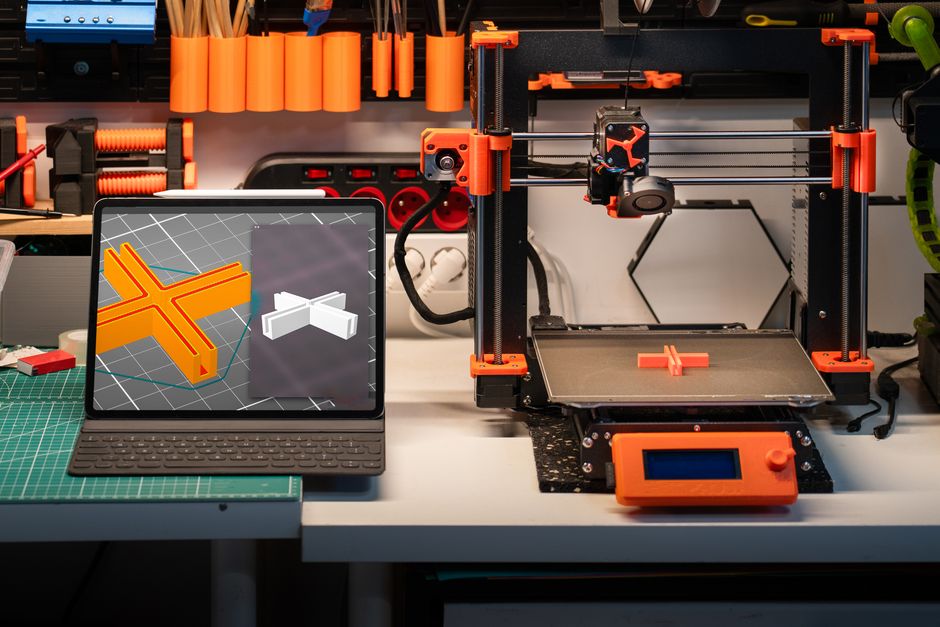
Where the A1 tends to shine is “start and go” ergonomics. You’re more likely to get consistent behavior from one job to the next because the printer expects you to let its built-in guidance and calibration routines do the heavy lifting.
For hobbyists, this reduces the frustration of getting from “I installed everything” to “my part actually fits.” For small businesses, it reduces downtime between customer-requested revisions.
Print consistency and first-layer reliability
Everyday printing rewards repeatability. The A1’s approach typically helps with factors that change print outcomes—things like whether the bed is correctly set up and whether the printer can compensate for normal variation.
That doesn’t mean you can ignore basics (leveling, filament storage, nozzle condition), but the printer is generally less sensitive to “I think I set it right” moments. The result is fewer prints that start fine and quietly drift in a way you only notice when you measure or assemble the part.
Speed vs. quality balance
The A1 is a strong choice when you want speed without giving up the kinds of surface and feature quality that everyday users actually care about. It’s especially convenient for functional prints where you want a smooth-looking finish on walls, details that read cleanly, and tolerances that aren’t completely dependent on perfect manual tuning.
For larger decorative parts, you may still choose quality-oriented settings—but the printer gives you a straightforward path to “good enough fast” instead of making you work for every incremental improvement.
Maintenance effort and what you’ll actually do
Maintenance on the A1 is usually more about routine consumable care than ongoing mechanical troubleshooting. You’ll still need to keep the nozzle clean, manage filament properly, and stay current with firmware/software updates, but you’re less likely to spend your evenings tightening hardware or chasing inconsistent calibration.
If you’re aiming for a workflow where the printer is a tool—not a project—the A1 aligns well with that.
Ender 3 V3 SE: strengths and tradeoffs for hands-on control
The Ender 3 V3 SE comes from a platform many hobbyists already know: it’s often chosen by people who are comfortable dialing in settings, learning through iteration, and doing basic upkeep as part of the hobby.
Usability and setup expectations
Compared with a more “guided” experience, you should expect to put in more effort to reach consistently good results. That can mean spending more time on calibration steps, fine-tuning slicer settings for your filament, and learning what changes when you swap materials.
This isn’t automatically a downside—if you enjoy tuning and want control over every variable, it can be satisfying. For busy everyday printing, though, the extra effort can add friction, especially when you’re trying to turn a model around quickly.
Print consistency across different jobs
The Ender 3 line can produce excellent prints, but consistency is more dependent on your setup being stable and your tuning being maintained.
In everyday use, that often means you’ll get better results if you treat calibration as a regular practice (not just a one-time task), and if you’re organized about filament handling and part requirements. When things are dialed in, you can absolutely run reliable jobs—but the path to “always dependable” can take more time.
Speed vs. quality balance
The Ender 3 V3 SE can be configured to print quickly, and it can produce sharp functional parts. The tradeoff is that pushing speed tends to increase the sensitivity of the print to tuning and part orientation.
For a small-business workflow, that means you’ll likely spend more time choosing settings for each type of job—fine details, cosmetic surfaces, or strength-focused parts—so your quality stays predictable.
Maintenance effort and keeping it stable
More manual-practice models often require more active maintenance. Even if nothing is “broken,” small things can drift over time: tension, alignment, and wear on consumables.
For everyday printing, the key is how often you’re willing to check and adjust. If you want a printer you can rely on with minimal attention, the maintenance curve of an Ender-style platform can feel steeper. If you’re comfortable staying on top of routine checks, it can still work well for hobby and small-batch work.
Which 3D printer should you buy for everyday prints?
Pick the Bambu Lab A1 if your priority is low-friction daily production: you want prints to start quickly, stay consistent between jobs, and you’d rather spend time designing and making than calibrating. It’s especially well-suited when you’re printing regularly and want fewer variables—ideal for functional parts, repeatable prototypes, and small runs where downtime is annoying.
Pick the Ender 3 V3 SE if you want a more hands-on path where tuning is part of the process, and you’re comfortable investing time upfront (and occasionally afterward) to keep results consistent. It’s a good fit if you enjoy refining settings, you treat maintenance as part of running a printer, and you don’t mind trading convenience for flexibility and control.
If you’re torn, use this quick decision checklist:
- Decide how often you’ll change materials (different filaments and profiles increase the need for tuning).
- Choose how much “babysitting” you’ll tolerate for first layers and tricky prints.
- Look at your print variety—simple brackets vs. detailed cosmetic parts require different reliability expectations.
- Estimate your maintenance time per week; the printer that fits your schedule wins.
- Run one test model that matches your real job (same scale, same wall thickness goals) and judge consistency across at least a couple prints.
Match those answers to each printer’s strengths: the A1 for convenience and repeatability with less effort, the Ender 3 V3 SE for hands-on control and the satisfaction of dialing things in.
PriceIt3D may earn a commission when you buy through links on this page, at no extra cost to you. Affiliate notice.