Choosing between an Ender 3 V3 SE and an Elegoo Neptune 4 comes down to how reliably you’ll get good results after the unboxing honeymoon.
Both platforms are capable of impressive prints for the money, but they often diverge in the details that matter in daily use: how stable bed adhesion feels over repeated jobs, how well “fast” still looks like “detailed,” what firmware features help you tune problems quickly, and how painless maintenance becomes when something eventually needs attention.
Below is a real-world comparison focused on print quality and reliability—not just headline specs.
Ender 3 V3 SE: Print Quality and Reliability
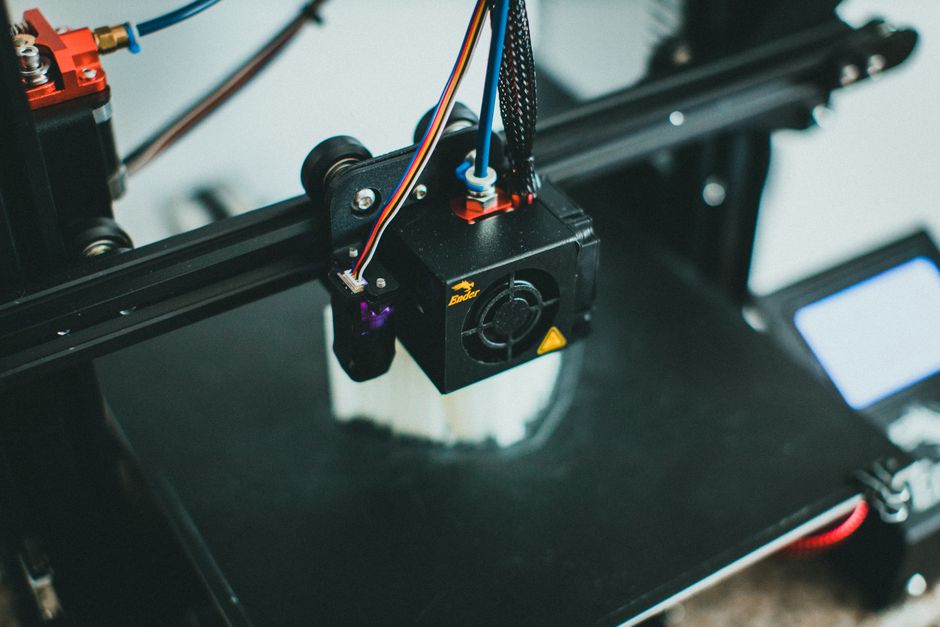
- Fine details look best when you avoid max-speed profiles and let the printer spend a little more time per layer.
- Dimensional accuracy and surface smoothness tend to be more sensitive to tuning (first-layer height, flow calibration, and retraction/pressure settings) than to raw speed.
- Overhangs and small lettering can look crisp, but they benefit from consistent cooling and stable first-layer adhesion—two areas that are tightly linked to reliability.
Reliability in day-to-day printing (especially bed adhesion)
Bed adhesion stability is where many owners “feel” a printer’s reliability within the first few weeks. With the Ender 3 V3 SE, you’ll generally want to treat first-layer setup as an ongoing maintenance step:
- If the nozzle-to-bed distance is slightly off, you’ll usually see it immediately in the first layer (gaps, lifted corners, or inconsistent squish).
- Build surface condition (residue, oil from hands, wear) can change outcomes between prints, so getting into a consistent cleaning routine matters.
- After a few print cycles, you may find you occasionally need to re-check leveling or Z-offset, especially if the printer is moved, the environment changes, or you swap build surfaces.
Firmware features that affect results and troubleshooting
The practical firmware question isn’t just “does it have auto-leveling,” it’s how quickly you can correct a problem without guessing. With the Ender 3 V3 SE, the experience is commonly:
- Setup is approachable, especially for basic leveling and common slicing workflows.
- Advanced tuning features (things like more sophisticated motion shaping, or deeper calibration workflows) may be less exposed than on firmware platforms that are designed for heavy tuning.
- When prints fail, you may spend more time adjusting slicer parameters and first-layer settings rather than using firmware-level tools to diagnose what’s happening.
Serviceability: how easy it is to keep running
Creality-style printers are often popular partly because parts and community knowledge tend to be widely available. For the Ender 3 V3 SE, that can translate to:
- Maintenance that’s more straightforward because common upgrades and replacement parts are easier to source.
- Fewer “unknowns” when you need help—whether it’s troubleshooting a feed issue, a thermistor reading, or a worn nozzle.
If you value a printer that’s easier to maintain using widely documented steps, this is a real reliability advantage.
Elegoo Neptune 4: Print Quality and Reliability
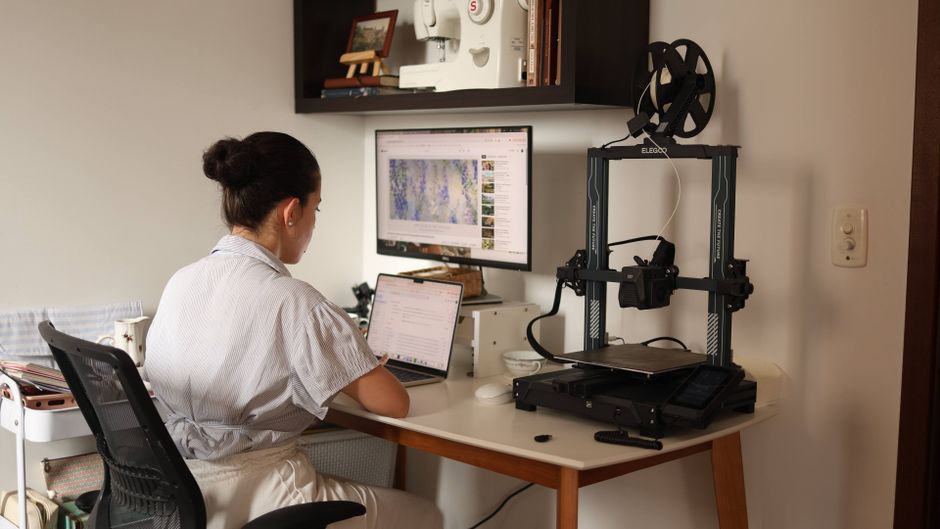
- Better results when you push speed, especially for functional parts where the goal is “strong + accurate” more than ultra-fine surface perfection.
- More consistent looking geometry because the firmware workflow (commonly associated with more modern tuning approaches) can help reduce common artifacts—if you take advantage of its calibration options.
- Crisp prints on small details when settings are dialed in, particularly around walls, corners, and lettering where under/over-extrusion becomes obvious.
Important note: fast printing doesn’t automatically mean more detail. It means the printer can usually maintain quality while moving quickly—if airflow, retraction, and first-layer behavior are handled well.
Reliability in day-to-day printing (especially bed adhesion)
On the Neptune 4, bed adhesion reliability typically feels better when the system’s calibration pipeline is used as intended and your build surface is kept clean. Owners often report fewer “random” failures when:
- First-layer settings are set once correctly and you maintain a consistent cleaning routine.
- You avoid over-aggressive speed/flow combinations on the first layer (where adhesion is decided).
- You treat changes in environment—drafts, humidity, temperature—as variables that can affect PLA/PETG/ABS more than the printer itself.
Even with a more modern tuning workflow, the build surface is still the build surface. Reliability still comes from consistency: cleaning, correct nozzle temperature for the material, and stable Z-offset behavior.
Firmware features that affect results and troubleshooting
Firmware matters most when things go wrong or you want to squeeze better results out of the same hardware. The Neptune 4 line is commonly associated with firmware ecosystems that expose more tuning capability and quicker iteration loops. What that means in practice:
- You can often find and apply calibration methods faster, which reduces the “guesswork cycle” after a failed print.
- Motion and print-geometry tuning tools can make speed/detail tradeoffs less painful—helpful when you want the printer to stay productive.
- If the firmware supports modern input shaping and related motion control concepts in your configuration, you’ll typically see less ringing/ghosting at higher speeds, which directly improves perceived surface quality.
If you’re the type of user who enjoys dialing in settings, this can make the Neptune 4 feel more reliable over time because improvements compound.
Serviceability: how easy it is to keep running
Serviceability is less about brand loyalty and more about whether repairs are predictable. With the Neptune 4, reliability tends to come from:
- A design that’s generally built for repeatable maintenance rather than constant tinkering.
- A parts ecosystem that’s improving—especially for common consumables and known wear items.
If you’re prepared to source parts as needed (and not rely on years of community coverage like the biggest Creality ecosystem), the Neptune 4 can still be very maintainable.
Which One Fits Your Prints?
If you’re deciding based on real-world output and the least hassle, here’s the practical split.
-
Choose the Ender 3 V3 SE if you want a broadly documented printer ecosystem, you’re comfortable doing first-layer tuning, and you value easy access to community support and replacement parts. It often rewards careful setup and “steady hand” calibration—especially for high-detail prints where you don’t mind slowing down a bit.
-
Choose the Elegoo Neptune 4 if you want faster, more consistent quality with less day-to-day guesswork. It tends to be a better fit when you regularly print functional parts, want stronger results at higher speeds, and would rather benefit from a firmware workflow that supports more efficient tuning.
One reliability rule applies to both: the most common cause of “mystery failures” isn’t the printer—it’s inconsistency in first-layer setup and build-surface cleanliness. If you keep those stable, both can produce clean, repeatable results.
Next step: decide whether your priority is (1) easiest long-term support and parts familiarity (Ender 3 V3 SE) or (2) faster production with tuning tools that help you maintain detail at speed (Neptune 4). That choice usually settles the comparison quickly.
PriceIt3D may earn a commission when you buy through links on this page, at no extra cost to you. Affiliate notice.