Cold pulls are one of the most reliable “no tools needed” ways to clear a stuck nozzle—because they use the filament itself to drag debris out of the hotend. Done right, the pulled piece often comes out with a tapered, clean tip, and the next extrusion is smooth again.
This guide walks you through when cold pulls work (and when they don’t), how to run the temperatures safely for common plastics, and how to confirm your nozzle is fully cleared afterward.
When Cold Pulls Work (And When They Don’t)
- Old, browned filament left in the nozzle
- Minor carbonized residue from printing a material too hot
- A partially blocked nozzle where extrusion is inconsistent or under-extruding
They usually don’t work when the nozzle is blocked by something that can’t be softened and pulled out of the melt zone, such as:
- A hardened chunk that won’t soften at normal extrusion temps
- Burnt-in contamination that has chemically “baked” onto metal beyond the reach of the filament
- A damaged or misassembled hotend/nozzle that needs mechanical attention (loose parts, wrong seating, broken heatbreak, etc.)
If your extruder skips instantly, the filament never feeds into the melt zone, or you hear grinding/clicking immediately on an otherwise healthy setup, focus on the feed path and hotend seating first—cold pulling can still help, but it shouldn’t be the only step.
Safety and What You’ll Need
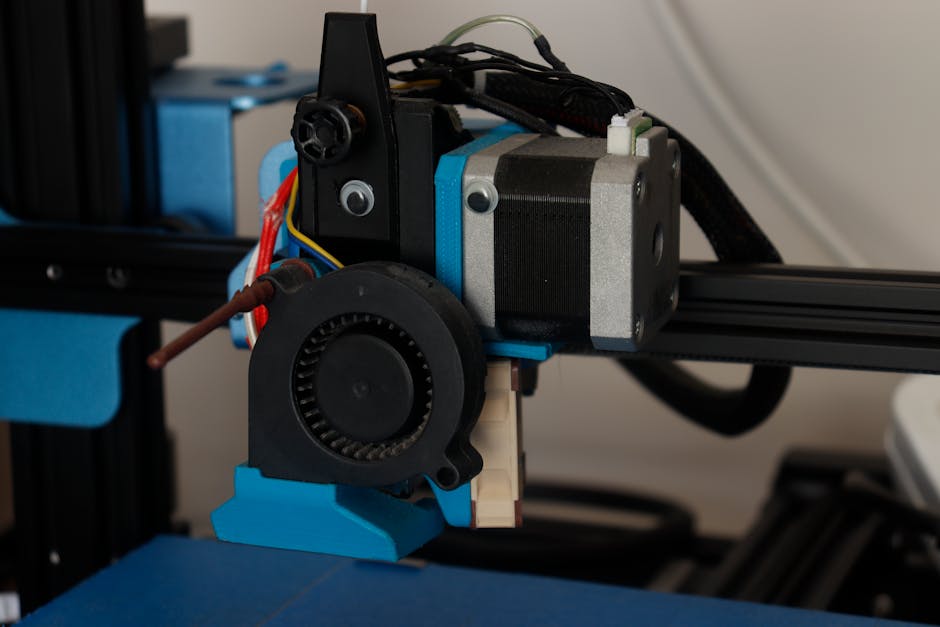
Before you start:
- Keep hands, hair, and clothing away from the nozzle while it’s hot.
- Use a pair of tweezers or a heat-safe grip tool to handle the filament tail if you need more control.
- Never force filament if the hotend isn’t heating properly; that can cause grinding.
- Let the printer cool down between attempts if you see discoloration, unusual bubbling, or repeated failure.
You’ll need the filament you plan to use for the cold pull. In practice, it should be the same material you’re currently troubleshooting (often PLA after a PLA print, PETG after a PETG print). Using a compatible material helps the filament melt and grip the same residue.
Cold Pull Step-by-Step
Use your slicer or printer’s normal extrusion temperature as the “hot” target for the filament you’re pulling. If you’re unsure, check the filament label or profile you printed with.
Common starting points (typical ranges; always follow your material’s guidance):
- PLA: heat to roughly 200–220°C
- PETG: heat to roughly 230–250°C
Then follow these steps:
- Preheat the nozzle to your material’s normal extrusion temperature. For PLA this is often around 200–220°C; for PETG often around 230–250°C.
- Load fresh filament. Feed it by extrusion until you see steady flow from the nozzle (this clears air and ensures you’re pulling a known-good filament front).
- Extrude briefly, then stop extruding. Let the nozzle stay hot for a short moment so the filament fully melts and can mix with any residue.
- Cool down slowly to the “grip zone.” A good rule is to cool until the filament changes from glossy to slightly dull/matte and feels more resistive as it approaches the point where it begins to solidify in the melt zone.
- Use temperature holds to land in the grip zone. For PLA, many people aim to pull around roughly 90–110°C. For PETG, many people aim to pull around roughly 70–90°C. If you’re unsure, cool in small steps (for example, 5–10°C at a time) and watch for the matte look before pulling.
- Pull the filament in one smooth, decisive motion. Don’t jerk wildly while the nozzle is still too hot—if it’s too hot, it may stretch and never grab the clog.
- Inspect the pulled filament tip. You want to see a tapered “spindle/corn-cob” style shape and signs that something was removed. If the tip is short, looks uniformly melted, or the snag point is missing, the temperature or timing likely wasn’t right.
- Repeat as needed. Reload filament, bring the nozzle back to extrusion temperature, and run another cold pull. Two to five good attempts is common if the clog is moderate.
- After a successful pull, purge lightly with a manual extrusion test. Extrude a small amount at normal temperature to confirm the flow is continuous and doesn’t surge or stop.
If you have to keep pulling and it never improves, stop after a few attempts and switch tactics (for example, checking nozzle seating, heatbreak alignment, or doing a more targeted hot cleaning method supported by your hotend design).
Confirm the Nozzle Is Fully Cleared
A cold pull isn’t “done” when the nozzle looks clean from the outside—you confirm by flow behavior.
Use this quick verification checklist:
- Manual extrude flows smoothly: When you start extrusion, filament comes out consistently without bursts, skipping, or immediate re-clicking.
- You can extrude at lower backoff safely: If you reduce the extrusion amount (or switch to a lower purge length), the nozzle still pushes steadily.
- Stringing isn’t extreme immediately after a purge: A fully cleared nozzle typically produces predictable strings/lines based on your cooling fan and temperature, not sudden stopping.
- The pulled tip shows a removal shape: The last pull should show a clear tapered tip (not just a blob), suggesting material was actually dragged from inside.
- Wipe test at the nozzle tip: After purging, wiping the nozzle tip should reveal clean, fresh filament with no dark residue continuing to ooze.
If verification fails, don’t keep guessing. Re-run the cold pull with a slightly different cooling target (move the pull temperature up a few degrees if the filament stretches instead of gripping; move it down a few degrees if it detaches too easily without dragging residue).
Troubleshooting When the First Cold Pull Fails
When cold pulls don’t clear a clog, the fix is usually about matching the “grip zone,” or about addressing a mechanical issue.
If the pulled filament comes out too melted and no debris is dragged, the nozzle was likely too hot at the moment of pulling. Let it cool a bit more and try again—small temperature changes matter.
If the pulled filament snaps off in the hotend or won’t pull out at all, the nozzle was likely too cool. Heat back up, wait for steady flow again, and then pull at a slightly higher temperature.
If the printer never feeds filament smoothly during preheat, cold pull won’t fix that root cause. Check for:
- Filament path obstruction (grinding near the extruder)
- A partially clogged cold end or worn drive gears
- Incorrect nozzle seating or an air gap in the hotend assembly
And if you see persistent dark specks or repeated failure after several cold pulls, the clog may be beyond what softened filament can remove. At that point, nozzle/hotend-specific cleaning steps (compatible with your hotend design) are the safer next move than repeated pulling.
Practical Verdict
Cold pulling is a great first move for many “extrusion is inconsistent” clogs—especially when you’re dealing with PLA- or PETG-style residue inside the nozzle. Use the filament’s normal extrusion temperature to melt, then cool to the grip zone until the filament turns from glossy to matte and pulls as a tapered tip.
When you can’t confirm smooth manual extrusion afterward, adjust the pull temperature slightly and repeat a couple of times. If feeding is still faulty or the hotend assembly seems off, stop the cold-pull loop and diagnose the feed path and hotend seating instead.
PriceIt3D may earn a commission when you buy through links on this page, at no extra cost to you. Affiliate notice.